


Getting started with TrueData Market Data API Services!
Step 1: Explore the Market Data API
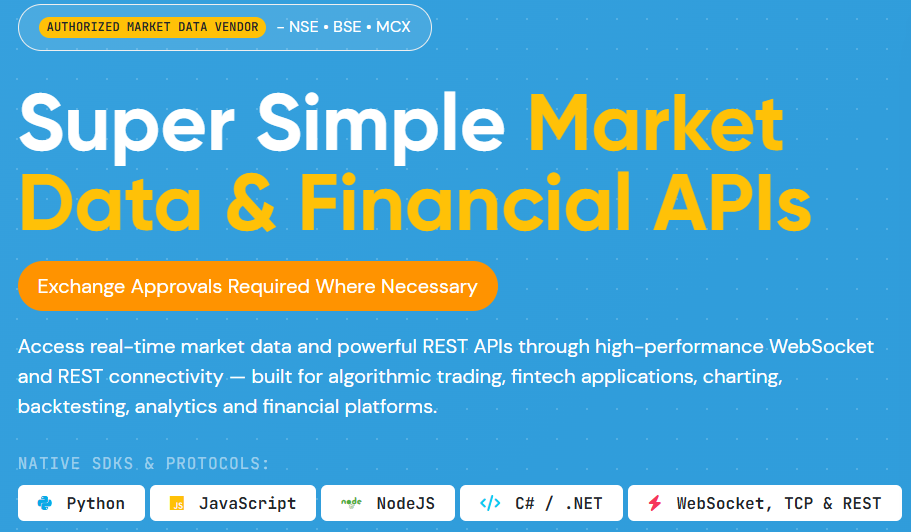
To learn more about TrueData's Market Data API services and get started, please visit the Market Data API page on our website.
The page provides access to a range of useful resources to help you get started, including:
- API Forum – For inquiries, discussions and technical assistance.
- Sandbox Environment – To explore and test the API services.
- Detailed Documentation – For comprehensive information on API functionalities and usage.
- Sample Code – To help you understand and implement the API.
- Python and Node.js Libraries – To simplify integration with your applications.
Please explore the available resources to familiarize yourself with the API and its features.
Important Note: Join Our Official Telegram Channel
We strongly recommend that all TrueData Market Data API subscribers join our Official Telegram Channel.
This is our primary communication channel for sharing important updates and announcements related to the API services. Through this channel, we keep our users informed about:
- Scheduled maintenance and service interruptions.
- Technical issues and service-related updates.
- Code examples, implementation ideas, and useful tips.
- Updates to API libraries and other related resources.
We strongly encourage all API subscribers to join the Telegram channel to ensure they receive timely updates and important service-related announcements.
Img 1.1: API Information
Step 2: Complete the Signup Form
Before getting started with the API, we request you to share some details about yourself and your specific requirements.
To do so please visit our Signup Page and complete the registration form with as much relevant information as possible. The more details you provide about your requirements, the better we will be able to understand your needs and recommend the most suitable solution
Submitting the form will also help us evaluate your requirements, provide you with the applicable pricing details, and facilitate a Free trial of our API services.
Step 3: Receive Documentation, Libraries and Trial Credentials
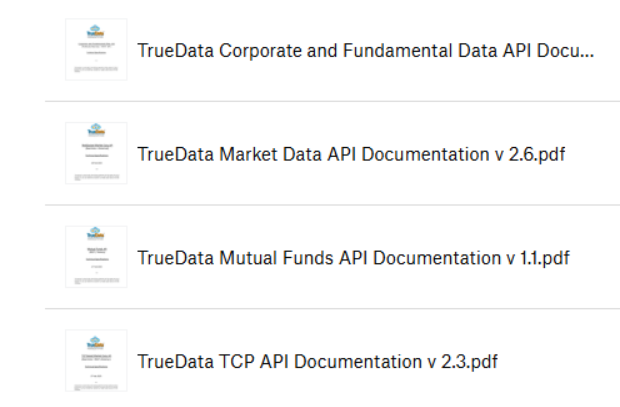
Once you have completed the signup process, our API Team will get in touch with you and share the following resources:
- Detailed API Documentation
- Sample Codes for implementation.
- Ready-to-use libraries for Python, Node.js and C# .NET.
- Free Trial Credentials, once you are ready to begin testing the API.
Explore our Read-to-use Libraries
If you would like to explore our libraries before proceeding with the integration, you can access them through the following links:
- Python:https://pypi.org/project/truedata/
- Node.js:https://www.npmjs.com/package/truedata-nodejs
- C# .NET: https://www.nuget.org/packages/TrueData-DotNet/
Building Your Own Integration
If you prefer to develop your application from scratch without using our ready-made libraries, you can refer to the Raw API Connection Documentation. This documentation covers the underlying connection methodology and will also be shared with you following your signup.
Important: Review the Documentation Before Requesting Trial Credentials
We strongly recommend that you go through the API Documentation, Sample Codes and available Libraries thoroughly before requesting your Free Trial credentials.
This will help you understand the API structure, available functionalities and integration requirements in advance, allowing you to make the most effective use of your trial period rather than spending valuable trial time getting familiar with the documentation.
Trial Duration
TrueData provides up to 7 days of Free Trial to facilitate API integration and testing. An additional 7-day Paid Trial can also be arranged, if required.
Img 3.1: API Documentations
Step 4: Test the API Using the Sandbox Environment
Once you receive your Free Trial credentials, you can begin testing the API using our Sandbox Environment. Alternatively, you can integrate and test the API using our Python, Node.js libraries, or any other programming language of your choice.
Note: Verify Your Data Flow Using the Sandbox
We strongly recommend keeping the Sandbox Environment accessible during your integration and testing process.
Whenever you encounter unexpected behavior or feel that your code is not functioning as expected, use the Sandbox Environment to verify and confirm whether the API data flow is working correctly.
This will help you identify whether the issue is related to the API data feed or your application's implementation, making the troubleshooting process faster and more efficient.

Img 4.1: Sandbox Environment
Step 5: Discuss Pricing and Subscription Plans
Once you have evaluated the API services and are satisfied with their functionality, our API Team will share the applicable pricing based on the specific requirements you provided during the signup process.
You can also connect with our API Team over a call to discuss your requirements in detail and explore customised pricing options tailored to your business needs.
How Is the Pricing Determined?
Our API subscription pricing is primarily based on the following factors:
- Exchange Segments: The exchange segments you wish to subscribe to.
- Number of Symbols: The total number of symbols you require access to.
- Data Requirements: Whether you require Real-Time Data, Delayed data, Historical Data, or combination of such.
Based on these requirements, our team will recommend the most suitable subscription plan and share the corresponding pricing details.
Step 6: Refer to the Market Data API FAQs
While using our services, we encourage you to explore the Market Data API FAQs.
This section covers frequently asked questions and provides answers to common queries related to API usage, functionality and integration. It is intended to help you quickly resolve general queries and find relevant information.
Please note that additional FAQs will be added periodically to make this resource more comprehensive.

Img 6.1: Frequently asked questions
Step 7: Explore the Market Data API Knowledge Base
For more detailed information and answers to important technical queries, visit our Market Data API Knowledge Base.
The Knowledge Base contains detailed articles covering key aspects of the API, including its functionality, usage and implementation.
We recommend referring to these articles whenever you need further clarification or guidance. New articles and resources will be added periodically to address additional topics and queries.

Img 7.1: Knowledge base
Step 8: Make Use of Full Market Feed Replay
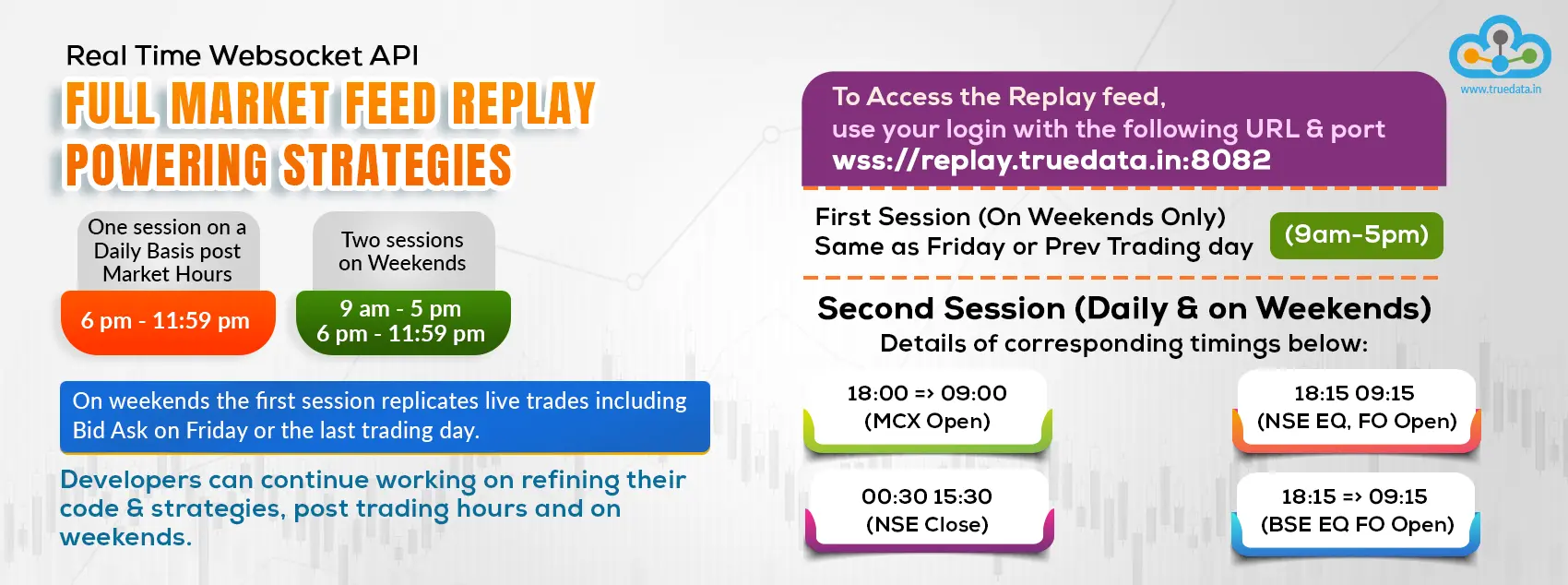
TrueData also offers Market Feed Replay to all active TrueData Market Data API subscribers.
This feature allows you to access and replay the market data feed after market hours, providing an opportunity to:
- Review Trading Strategies: Analyze past market activity, revisit trading decisions, identify mistakes and explore potential improvements.
- Test and Refine Your Code: Re-run your applications against actual market data to identify issues, optimize performance and improve your implementation.
- Work Beyond Market Hours: Continue development, testing and fine-tuning your trading strategies and applications after market hours and over weekends, without having to wait for live market sessions.
No Additional Charges: Market Feed Replay is included at no extra cost and is available to both Paid Subscribers and Trial Users.
Check out the timings as listed below:
Img 8.1: Replay information
Important Information About TrueData Market Data API Services
a) Supported Exchanges and Segments
TrueData currently provides Real-Time Data, Delayed Data and Historical Data through its Market Data API for the following exchange segments:
- NSE Equity
- NSE Indices
- NSE Futures & Options
- BSE Equity
- BSE Indices
- BSE Futures & Options
- MCX
b) Data Level and Bid-Ask Information
We currently provide Level 1 Market Data from NSE and MCX, which includes Best Bid and Ask (Bid-Ask) data by default as part of the feed and Level 2 Market Data from BSE which includes 5 Bids and Asks (Bid-Ask) data.
If you do not require Bid-Ask data, you can opt to disable it. This can help reduce the overall data flow and bandwidth requirements.
c) Historical Data Options
Historical Data is available both with and without Bid-Ask information. Historical data with Bid-Ask information is provided by default, with the option to request Bid-Ask history if required.
d) Available Real-Time Streaming Formats
Our Market Data API supports Real-Time Streaming in the following formats:
- Tick Data
- 1-Minute Bars
- 5-Minute Bars
- 15 min delayed Tick data
You can also opt for combined streaming configurations, such as Tick + 1-Minute Bars or Tick + 5-Minute Bars, depending on your application requirements.
e) Ideal for Algo Traders and Developers
TrueData Market Data API is widely used by algorithmic traders, quantitative analysts and developers looking to build, test and automate their own trading strategies.
If you are planning to develop your own trading systems or automate your trading strategies, our API services can provide the market data infrastructure you need. We encourage you to explore the API and experience its capabilities through our Free Trial.
f) Get in Touch With Our Team
If you need further clarification or assistance in identifying the most suitable solution, please feel free to connect with our team via email or phone.
Our team will be happy to understand your requirements, address your queries and help you identify the most appropriate solution for your needs.
For any additional queries, you can get in touch with our API Team at [email protected]